

MCP and API Keys
ShareCube speaks MCP. Agents can list projects, publish artifacts, search, and leave comments, then return a console URL so a human can keep editing.
Using Claude or Codex? The plugin or connector is the quickest way in. For everything else, open Settings → Integrations to set this up.
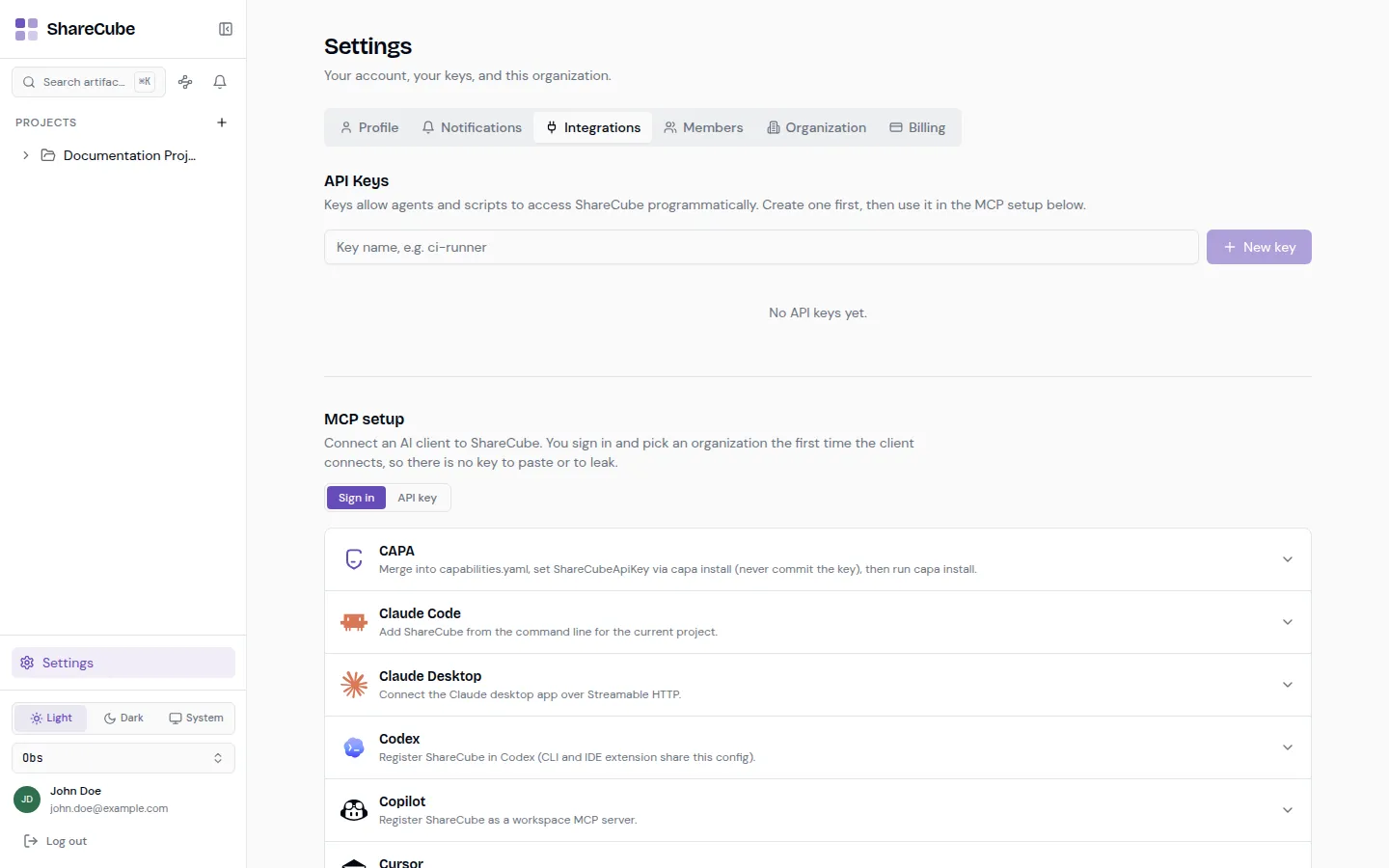
Sign in (recommended)
Section titled “Sign in (recommended)”The default is Sign in. The first time a client connects, you complete a browser login and pick an organization. There is no secret in a config file, and you can revoke access later from the client or by signing out.
This is the right mode for Cursor, Claude Desktop, Copilot, and anything else where a person is sitting at the machine.
API key (CI and headless)
Section titled “API key (CI and headless)”Use API key when nobody can finish a browser sign-in: CI, a container, a headless box.
-
Create a key
Section titled “Create a key”In Settings → Integrations, name the key (for example
ci-runner) and click New key. Copy it immediately. ShareCube will not show the full value again. -
Switch MCP setup to API key
Section titled “Switch MCP setup to API key”The snippets below the key list update to include
Authorization: Bearer <your-key>. -
Revoke when you are done
Section titled “Revoke when you are done”Use the trash icon on a key row. Admins can also review and revoke keys created by other members under organization keys.
Clients
Section titled “Clients”ShareCube ships ready-made snippets for these clients. Expand a row to copy the config, or use Add to Cursor / Add to Copilot when the one-click install link is available.
| Client | Config file / command |
|---|---|
| CAPA | capabilities.yaml (set the key via capa install, never commit it) |
| Claude Code | claude mcp add --transport http sharecube "https://app.sharecube.io/mcp" |
| Claude Desktop | claude_desktop_config.json |
| Codex | .codex/config.toml |
| Copilot | .vscode/mcp.json |
| Cursor | .cursor/mcp.json |
| Gemini CLI | .gemini/settings.json |
| Windsurf | ~/.codeium/windsurf/mcp_config.json |
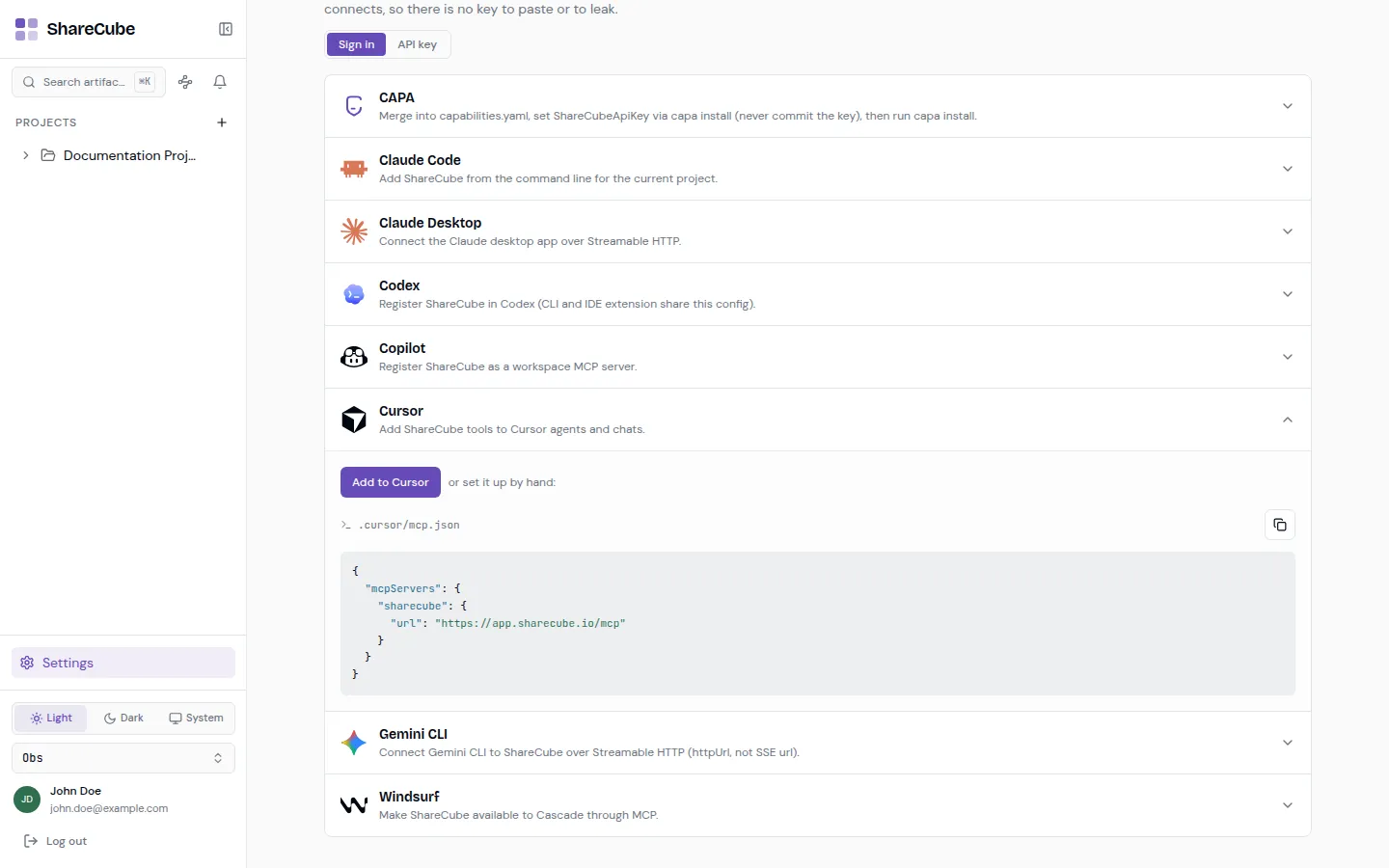
The MCP endpoint is https://app.sharecube.io/mcp (use https://app-dev.sharecube.io/mcp against the dev environment).
{ "mcpServers": { "sharecube": { "url": "https://app.sharecube.io/mcp" } }}{ "mcpServers": { "sharecube": { "url": "https://app.sharecube.io/mcp", "headers": { "Authorization": "Bearer YOUR_API_KEY" } } }}claude mcp add --transport http sharecube "https://app.sharecube.io/mcp"With a key, add --header "Authorization: Bearer YOUR_API_KEY".
What agents can do
Section titled “What agents can do”These are the MCP tools ShareCube exposes. The caller needs the same project role a human would need for the same action.
Projects and artifacts
list_projects/create_projectlist_artifacts/get_artifact/create_artifact/update_artifact/delete_artifactrequest_artifact_uploadfor large bodies (the tool mints an upload URL; the client PUTs the bytes)search_artifact/search_graph
Comments
list_comments/get_commentcreate_comment(new thread with an optional selection anchor, or a reply)update_comment/resolve_comment/delete_comment
For large documents, prefer request_artifact_upload and then poll get_artifact until current_version_id changes and the content matches. For small edits and title changes, update_artifact is enough. Always pass base_version_id when updating content so a concurrent human edit is not overwritten.