

Claude: plugin
Showing setup for , from the link you followed.
The plugin gives Claude the ShareCube MCP server plus the sharecube skill. It comes from the infragate/sharecube-plugin marketplace. Using Claude Code? See Claude Code.
-
Open Plugins
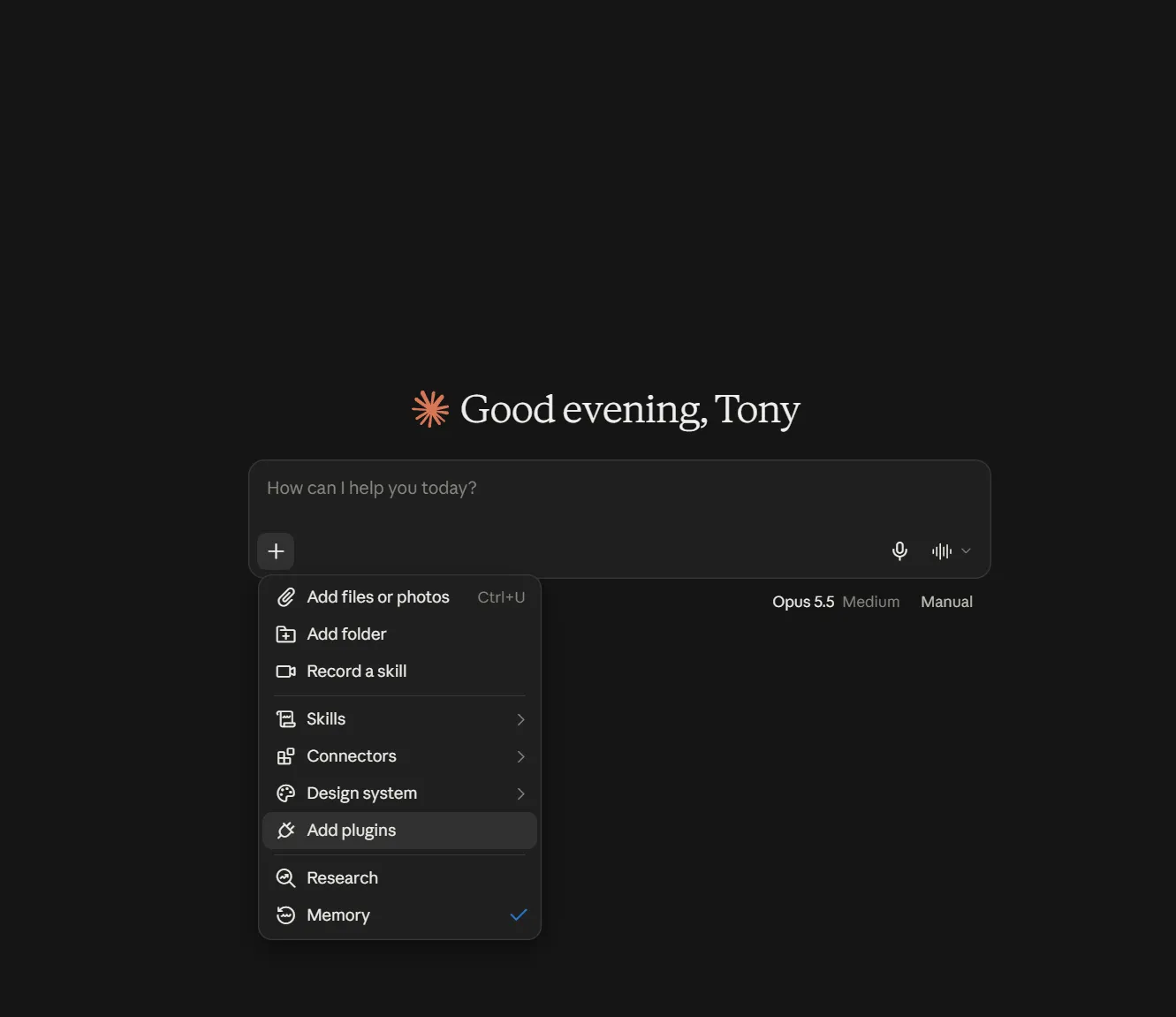
Section titled “Open Plugins”In the Claude desktop app, go to Settings → Plugins. From a chat you can also click + in the message box, then Add plugins.
-
Add the ShareCube marketplace
Section titled “Add the ShareCube marketplace”Click Add → Add marketplace, paste this URL, and click Sync:
https://github.com/infragate/sharecube-plugin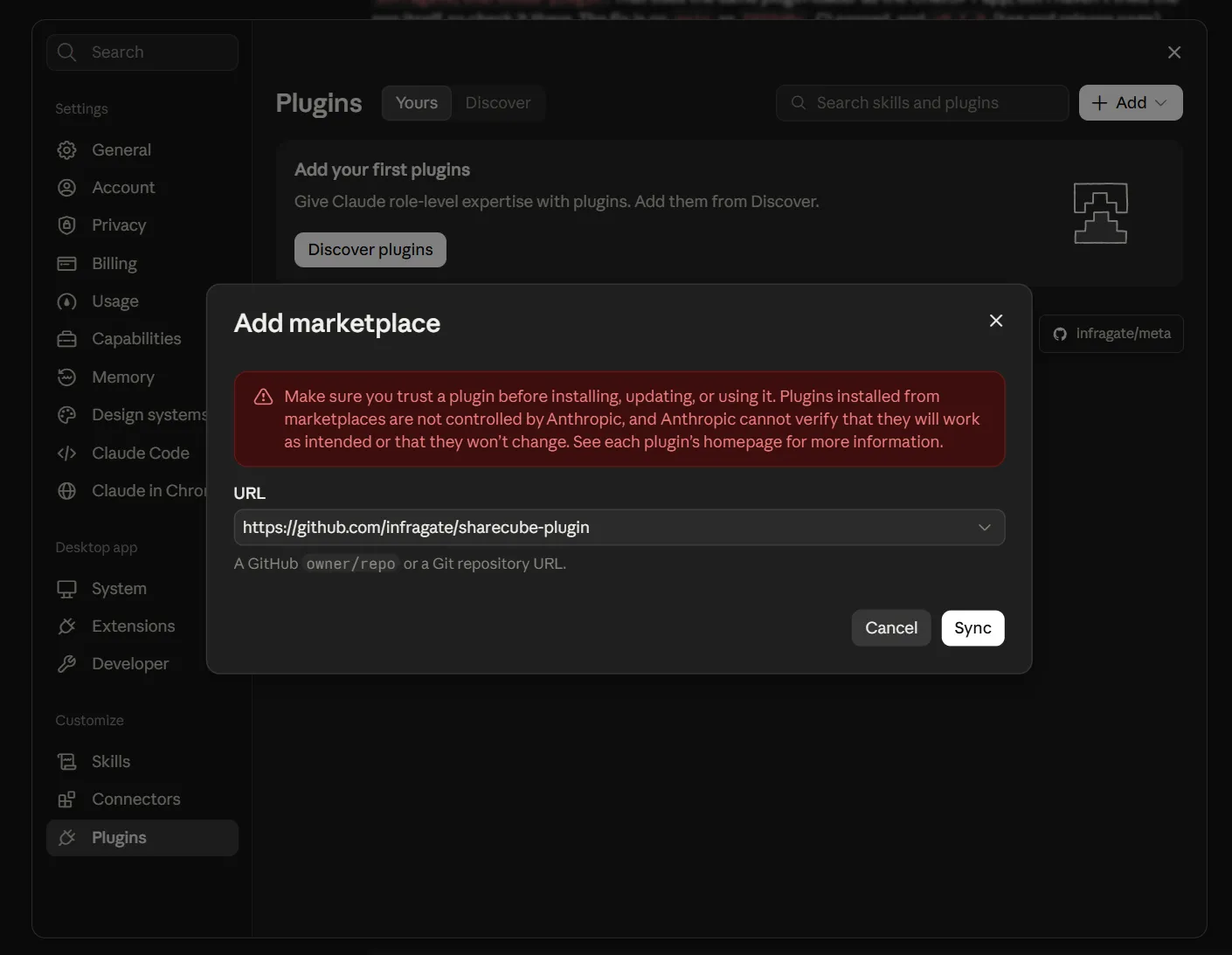
-
Add the plugin
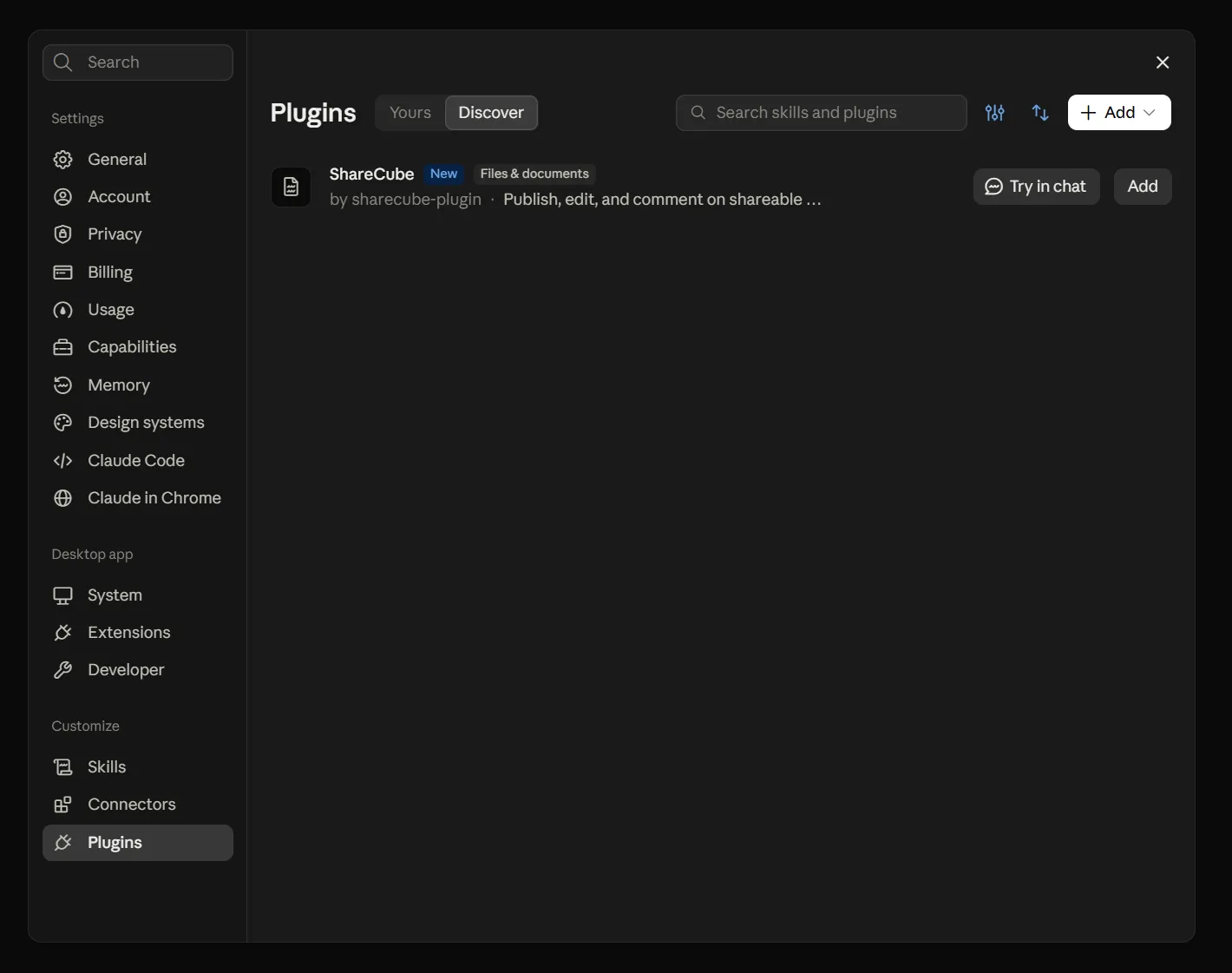
Section titled “Add the plugin”Open the Discover tab. ShareCube shows up from the new marketplace. Click Add, or Try in chat to start a chat with it right away.
-
Sign in
Section titled “Sign in”The first time Claude calls a ShareCube tool, a browser window opens. Pick your organization and click Connect. See Signing in.
-
Try it
Section titled “Try it”In a new chat, ask:
List my ShareCube projects