

Codex: plugin
Showing setup for , from the link you followed.
The plugin gives Codex the ShareCube MCP server plus the sharecube skill. It comes from the infragate/sharecube-plugin marketplace.
-
Add the ShareCube marketplace
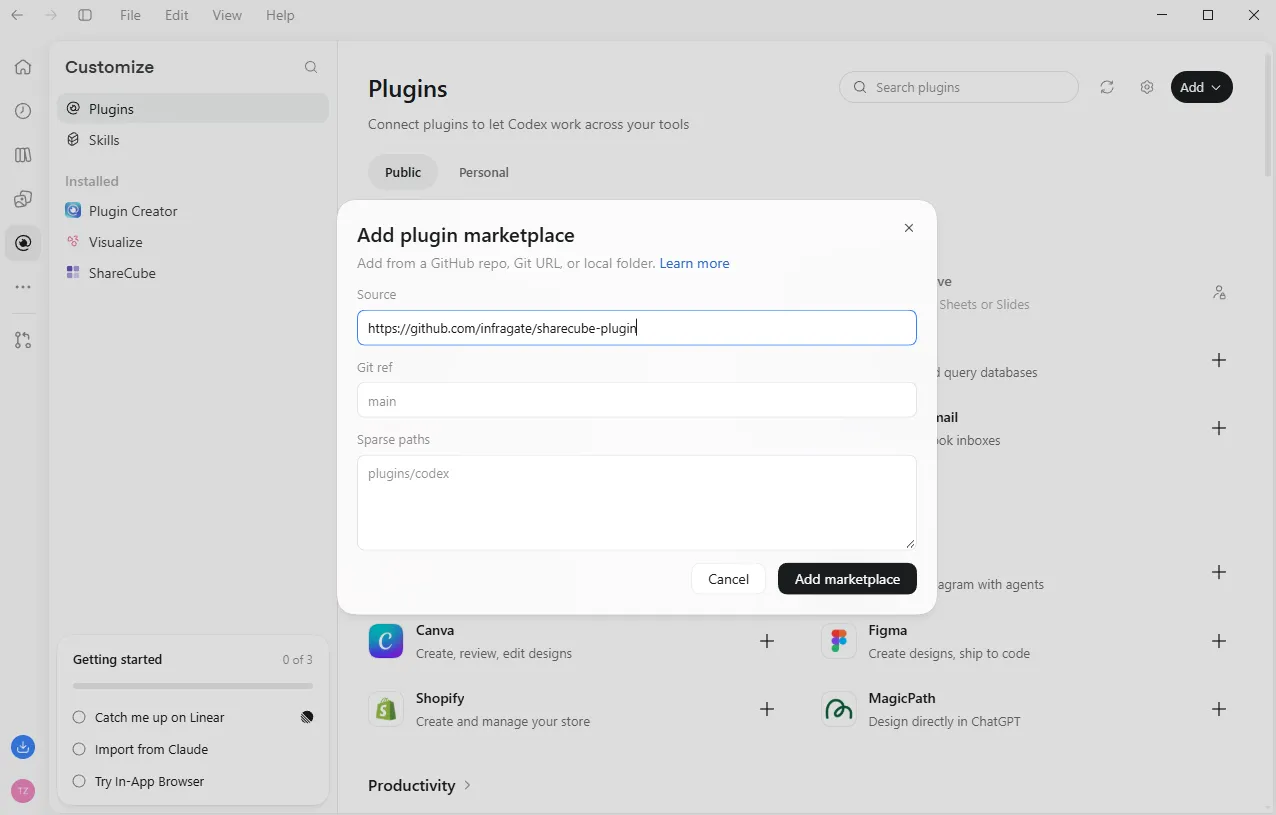
Section titled “Add the ShareCube marketplace”Click Plugins in the left rail, then Add → Add plugin marketplace, and paste this into Source:
https://github.com/infragate/sharecube-pluginLeave Git ref and Sparse paths empty, and click Add marketplace.
-
Install the plugin
Section titled “Install the plugin”Search for
sharecubeand click the + next to ShareCube.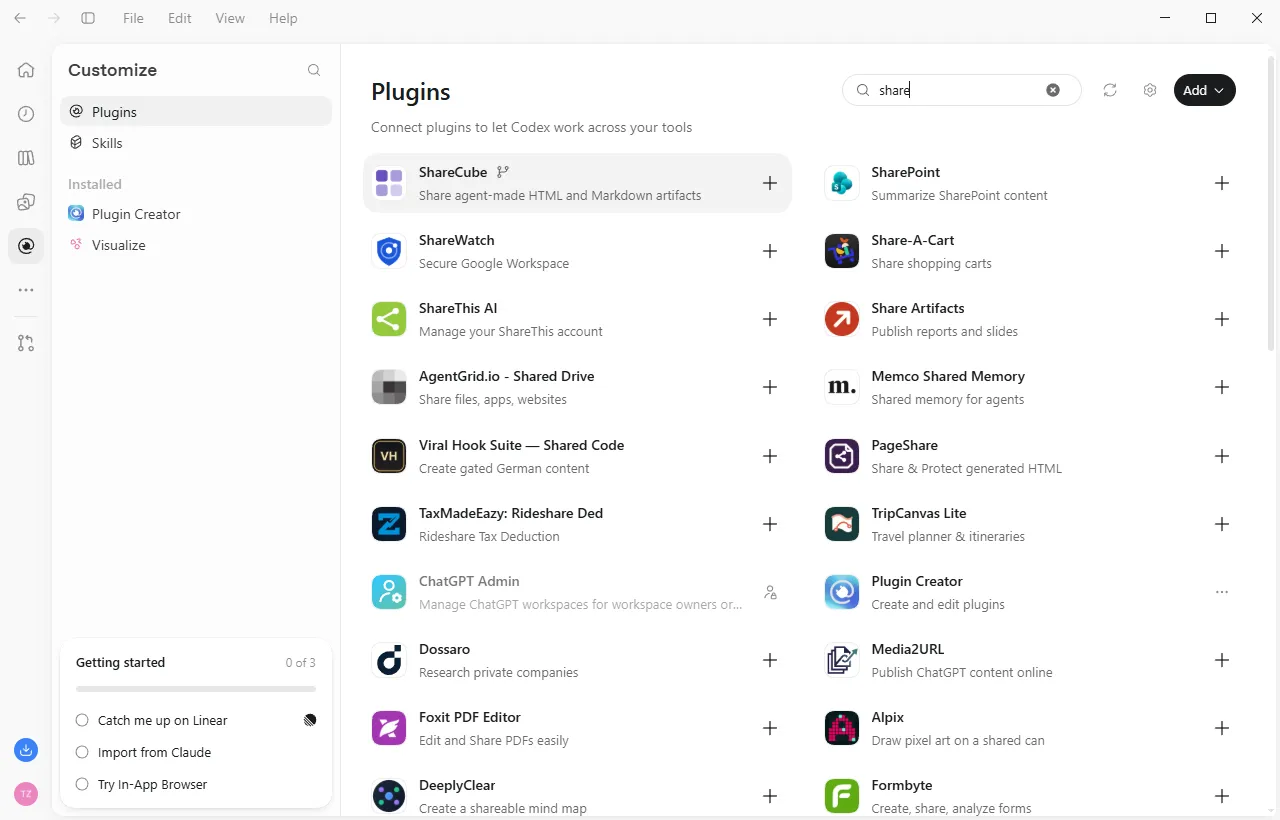
-
Sign in
Section titled “Sign in”A browser window opens. Pick your organization and click Connect. See Signing in. Back in Codex, ShareCube is listed under Installed.
-
Try it
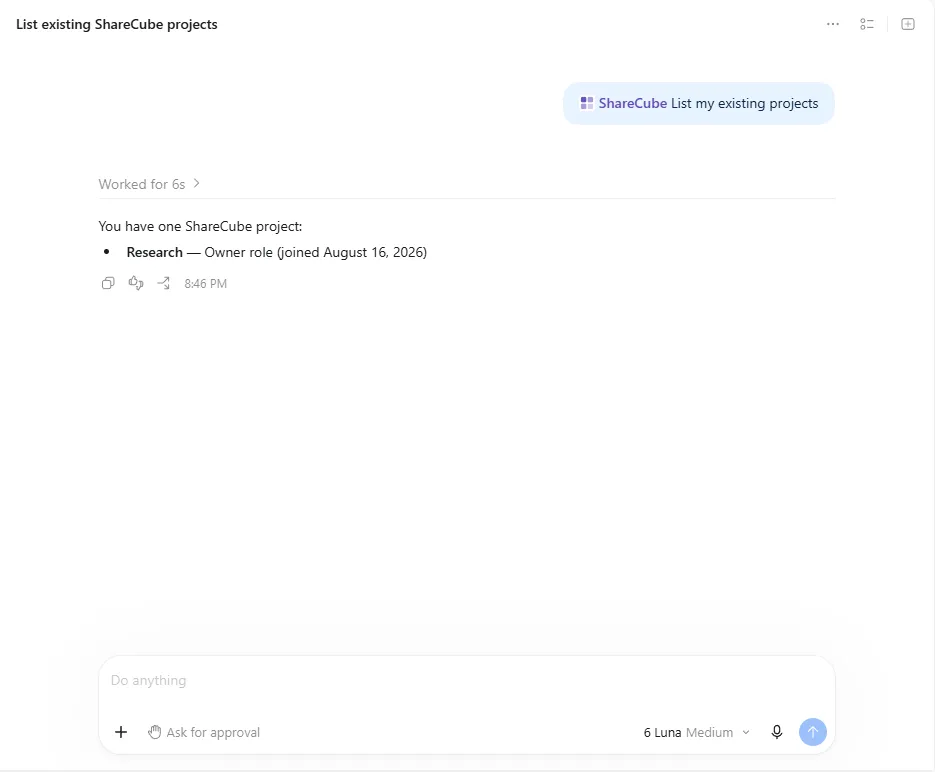
Section titled “Try it”Click Try now, or mention ShareCube in a chat and ask it to list your projects.
-
Install the plugin
Section titled “Install the plugin”Terminal window codex plugin marketplace add infragate/sharecube-plugincodex plugin add sharecube@sharecube -
Sign in
Section titled “Sign in”The first time Codex calls a ShareCube tool, a browser window opens. Pick your organization and click Connect. See Signing in.
-
Try it
Section titled “Try it”Ask Codex:
List my ShareCube projects