

Sharing
A gateway is private to its owner until you share it. Sharing gives somebody the right to use it with their own accounts and their own keys, and optionally to manage it.
Sharing is reached from People → Manage on the gateway’s Overview.
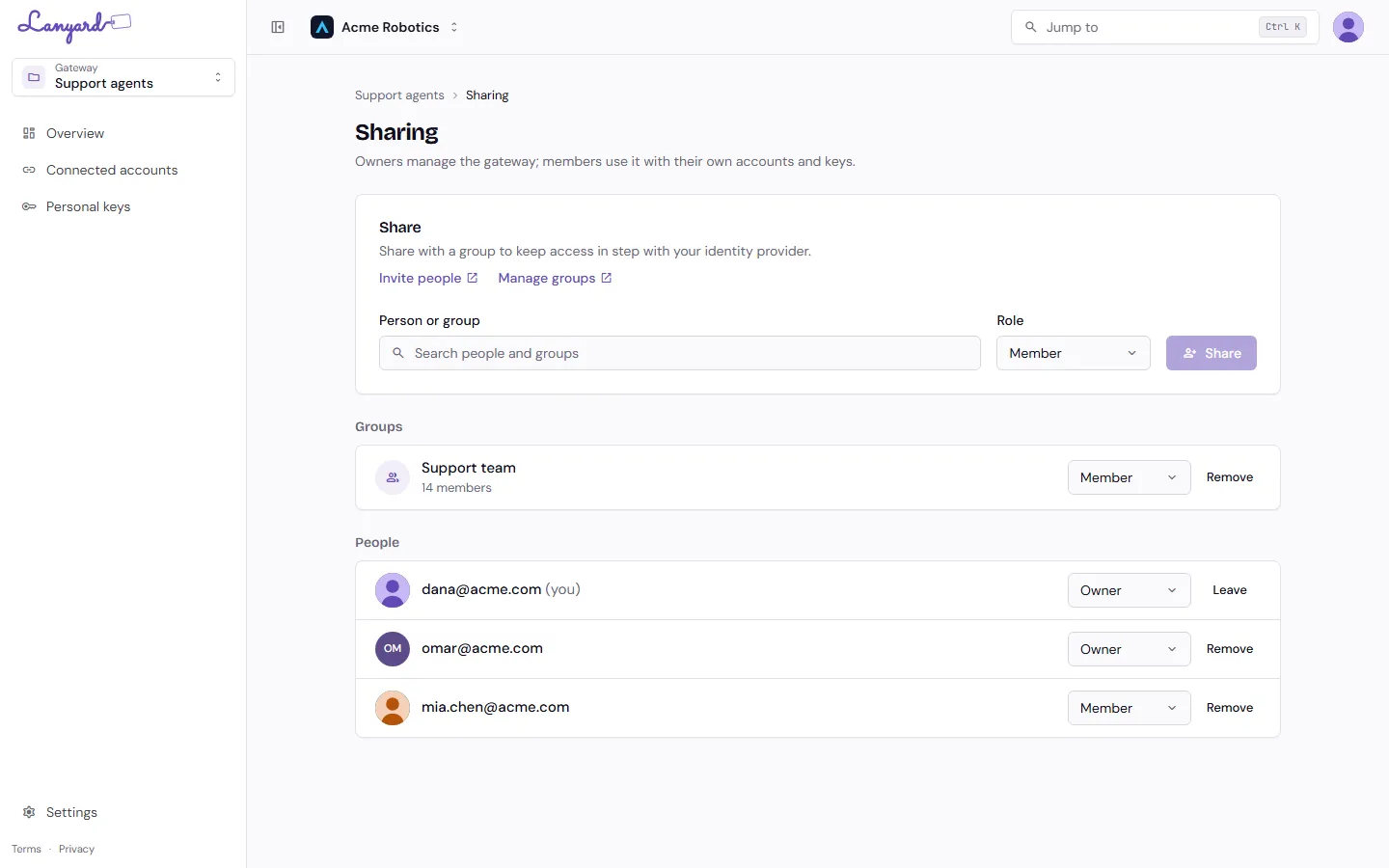
Share with a person
Section titled “Share with a person”Search for someone by email and pick a role:
- Member can use the gateway. They connect their own accounts, mint their own keys, and see their own calls. They cannot change what is in the gateway.
- Owner can do everything: servers, tools, sharing, rename, export, delete, and see everybody’s keys and calls.
Only people already in your Infragate organization show up. Invite people opens the account portal, where you add them to the organization first.
Share with a group
Section titled “Share with a group”Search picks up groups as well as people. Sharing with a group gives its members the role you chose, and keeps doing so as the group changes.
Somebody can be covered by both a group and a direct share. Removing one does not remove the other, and Lanyard keeps their keys as long as either still gives them access.
Leaving and removing
Section titled “Leaving and removing”Remove takes someone off the gateway and revokes the keys they held in it. Their connected accounts are theirs and are kept, so they still work in other gateways.
Leave is the same thing done to yourself. A gateway must keep at least one owner, so the last owner cannot leave until somebody else is made one.
What org admins see
Section titled “What org admins see”Org Owners and Admins can open and manage any gateway in the organization without being shared on it. They do not appear in this list, because their access comes from their organization role rather than from the gateway. See Gateways for the full matrix.