

Activity
Two questions get asked about agents: what did it just do, and who let it. Activity answers both.
Activity is reached from Recent calls → View all on the gateway’s Overview.
Tool calls
Section titled “Tool calls”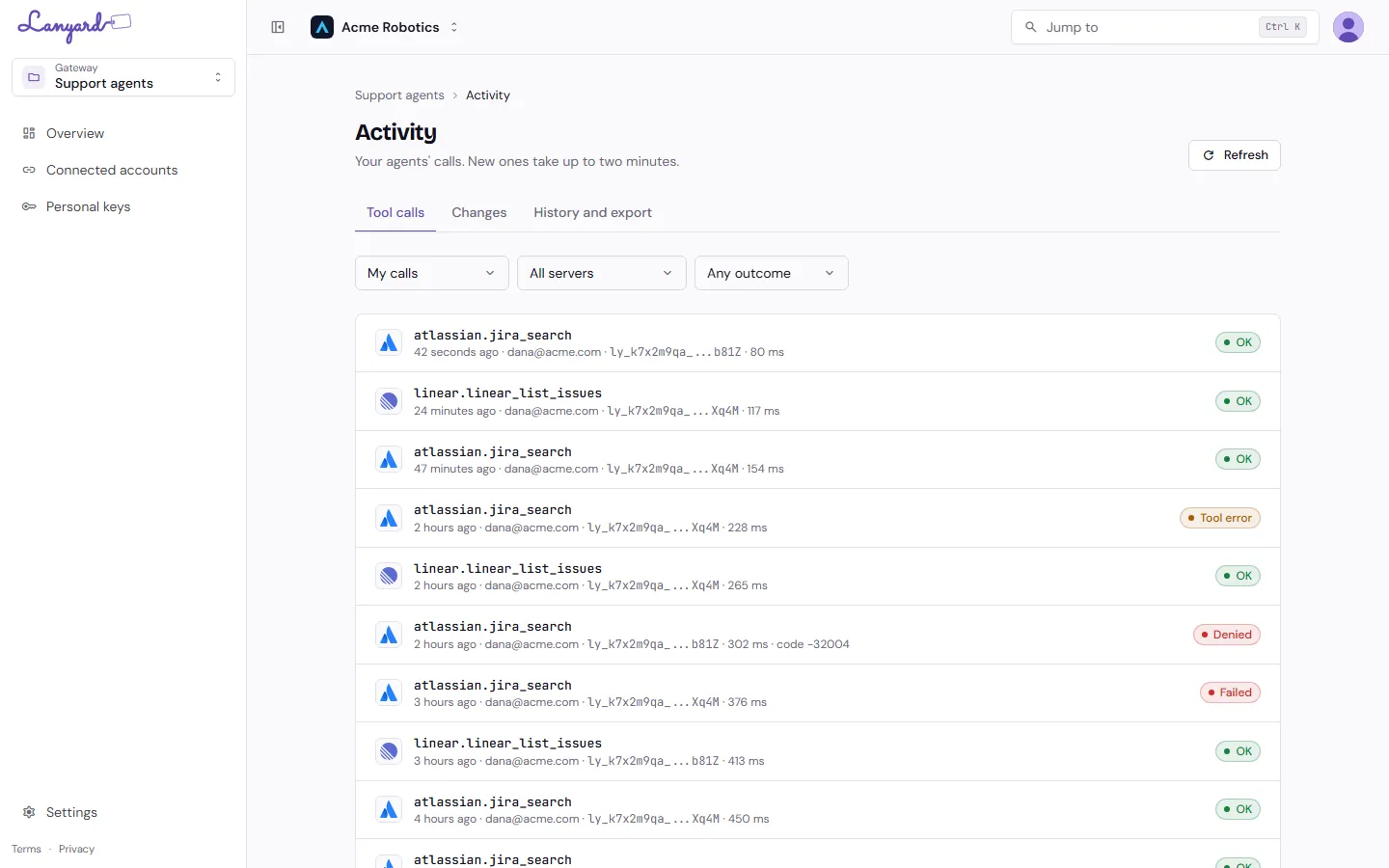
One row per call: the tool, who made it, which key, how long it took, and how it ended.
- OK means the server answered.
- Tool error means the server answered with an error of its own. The call was allowed; the tool did not like it.
- Denied means Lanyard refused it, with the reason code. A tool that is not ticked, a server the org policy blocks, a missing sign-in.
- Failed means the server could not be reached.
Filter by caller, by server, or by outcome. Members see their own calls; gateway owners and org admins can switch to everyone’s.
New calls take up to two minutes to appear. Refresh fetches again.
Changes
Section titled “Changes”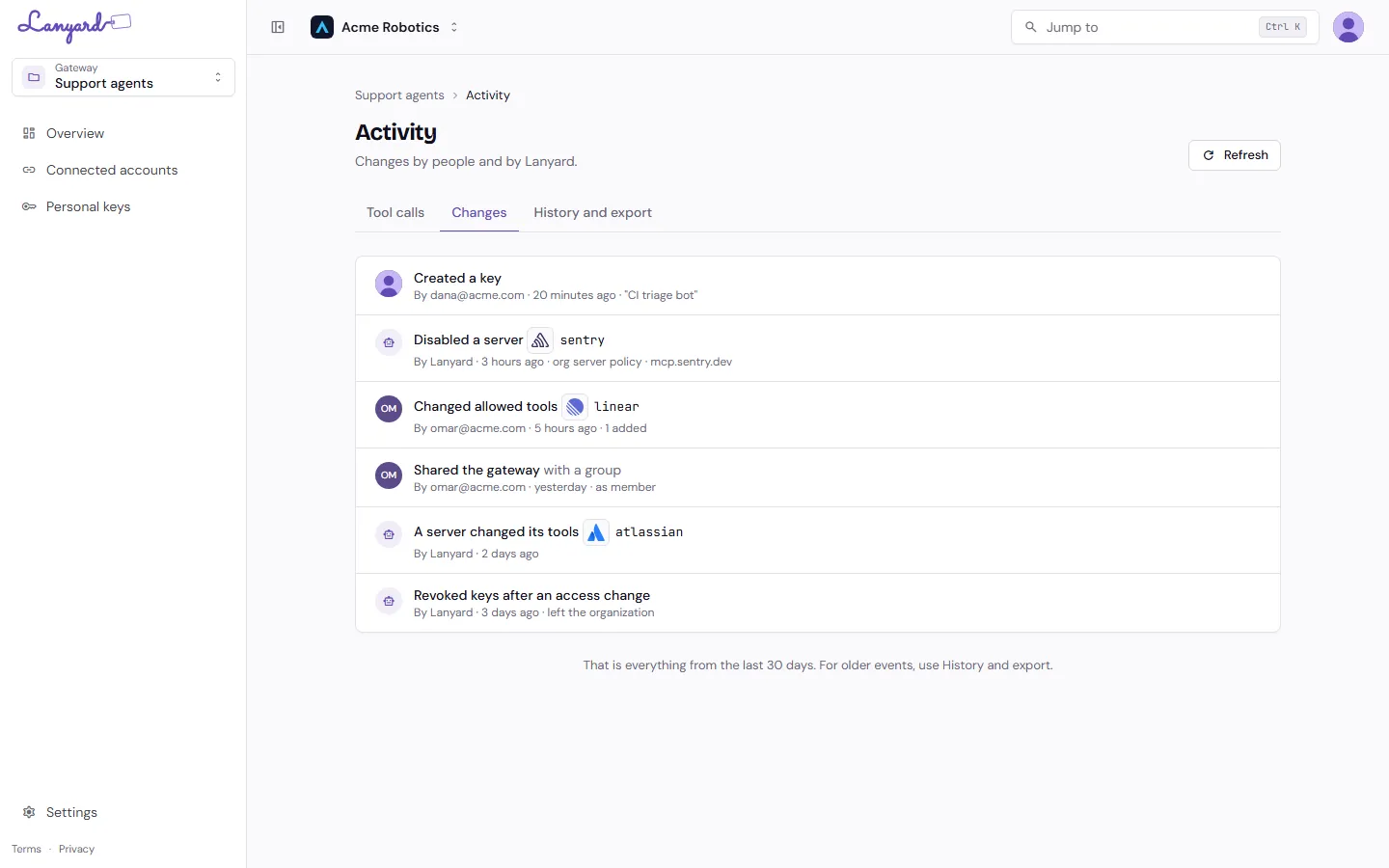
The same feed for configuration rather than calls: keys created and revoked, servers added and disabled, tool lists changed, sharing changed.
Some rows are attributed to Lanyard rather than a person. Those are the things Lanyard does on its own: disabling a server because org policy stopped allowing its host, noticing that a server changed its tool list, revoking somebody’s keys after they left the organization.
History and export
Section titled “History and export”Both feeds above cover the last 30 days. The third tab searches further back and exports.
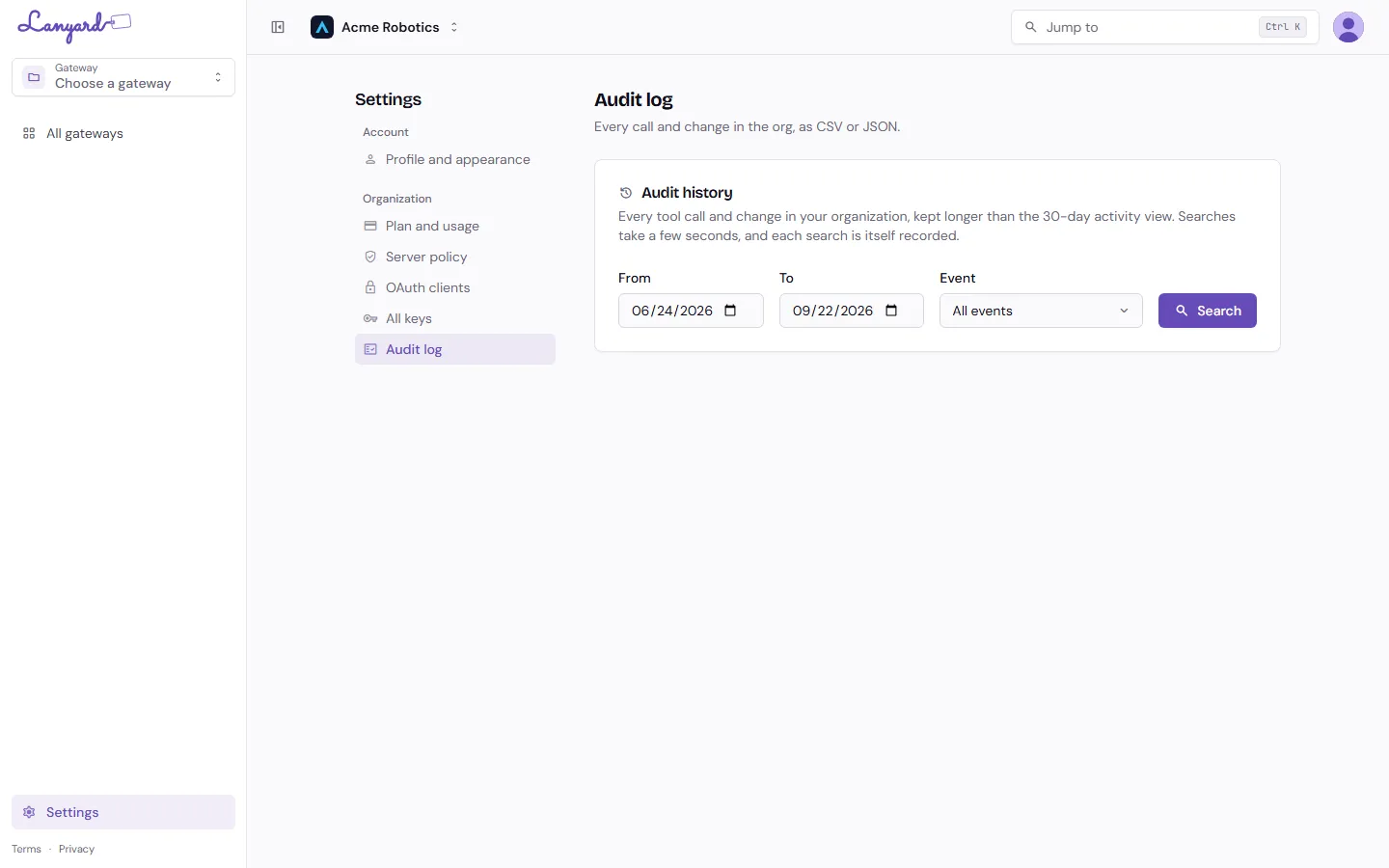
Choose a date range and an event type, then search. Searches take a few seconds, and each search is itself recorded, so a log that somebody read is a fact the log keeps.
Results download as CSV or JSON. How far back history goes depends on your plan: 7 days on Free, 30 on Team, a year on Enterprise.