

Plan and Usage
Settings → Plan and usage. Every member can see the plan and its limits. Seats, rate limits and billing are for org Owners and Admins.
Overview
Section titled “Overview”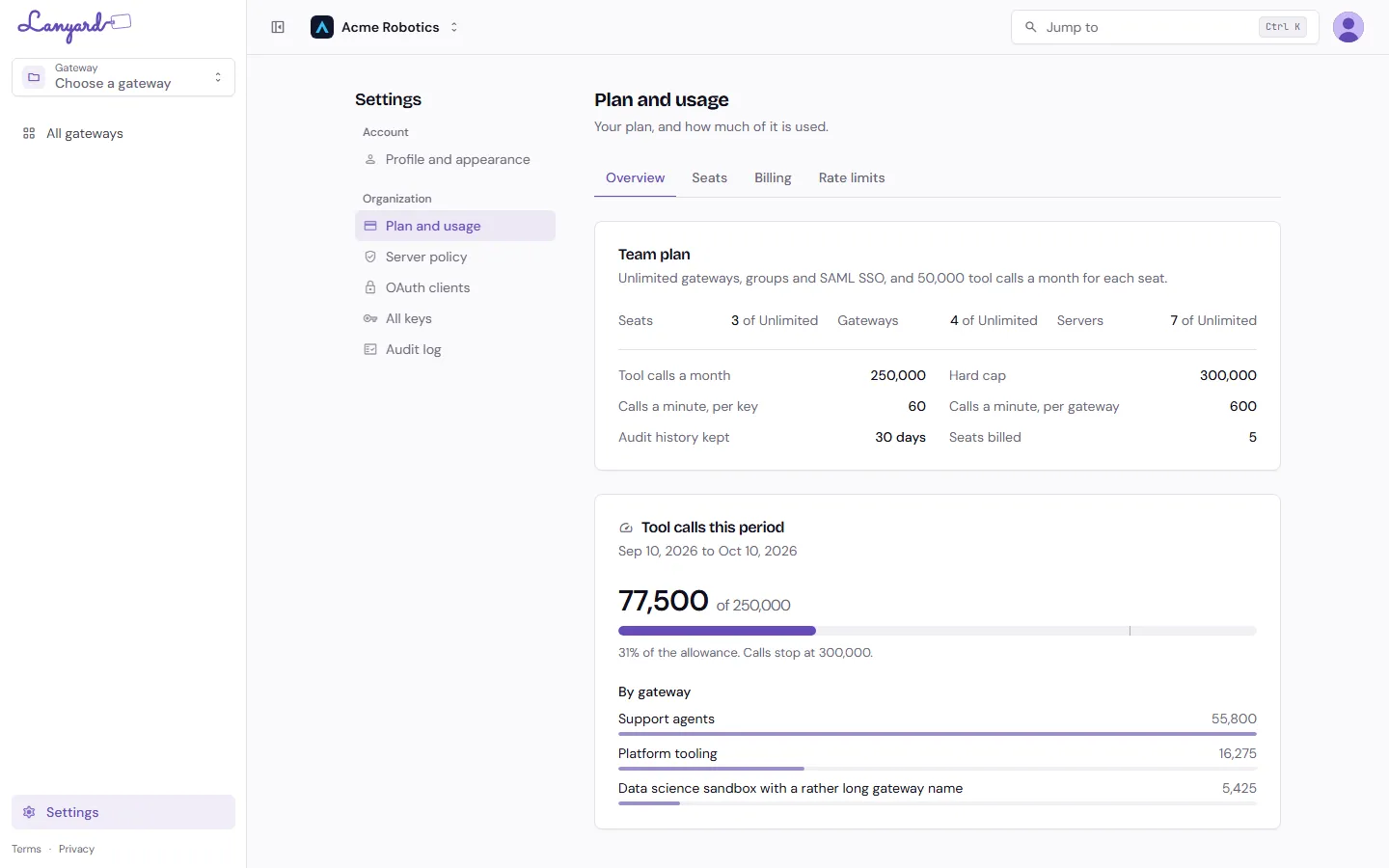
The top card is your plan’s limits and how much of each you are using. Underneath, tool calls for the current period, broken down by gateway.
Two numbers govern calls:
- The allowance is what the plan includes for the period. Pass it and agents keep working.
- The hard cap is where they stop. Between the two, calls still go through and may be billed. Past it, tool calls are refused until the next period or an upgrade.
Lanyard warns at 80% of the allowance, again when the allowance is used up, and tells you plainly when calls are paused.
What the plans include
Section titled “What the plans include”| Free | Pro | Team | Enterprise | |
|---|---|---|---|---|
| Seats | 3 | 1 | Unlimited | Unlimited |
| Gateways | 1 | Unlimited | Unlimited | Unlimited |
| Servers | 5 | Unlimited | Unlimited | Unlimited |
| Tool calls | 10,000 a month | 50,000 a month | 50,000 per seat | 100,000 per seat |
| Hard cap | at the allowance | 1.2x | 1.2x | none, alerts only |
| Calls a minute, per key | 30 | 60 | 60 | 120 |
| Calls a minute, per gateway | 120 | 600 | 600 | 1,200 |
| Audit history | 7 days | 30 days | 30 days | 1 year |
| Sharing with groups | no | no | yes | yes |
| SAML SSO | no | no | yes | yes |
| Server allowlist, own OAuth clients, SIEM export | no | no | no | yes |
Pro is the paid plan for a personal organization, which holds one person. Shared organizations get Team.
The call allowance is pooled across the organization, not per person, so a seat added mid-period raises it straight away.
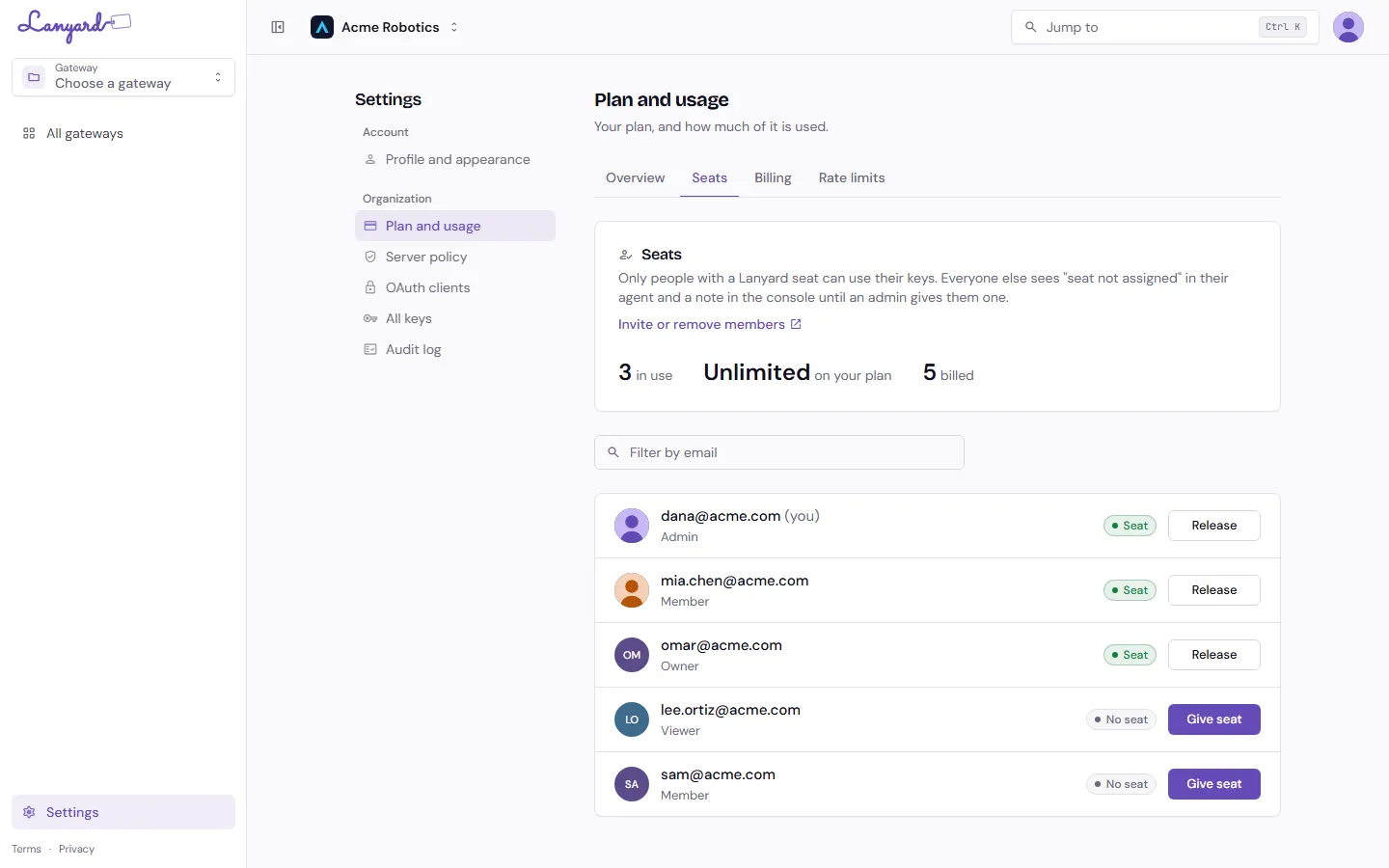
Being in the organization is not the same as being able to use Lanyard. A seat is what turns a member into a Lanyard user. Without one, their agent is told the seat is not active, and the console says the same.
Give seat and Release seat on this page. Releasing a seat does not remove anybody from the organization; they keep every other Infragate product.
An org Owner or Admin who opens Lanyard without a seat takes a free one automatically, if the plan has one to give. When the plan has none, they can still manage the organization from Settings, including releasing somebody else’s seat, but cannot use gateways until a seat is free.
Seats are counted per product. Somebody active in ShareCube does not hold a Lanyard seat by that fact alone.
Rate limits
Section titled “Rate limits”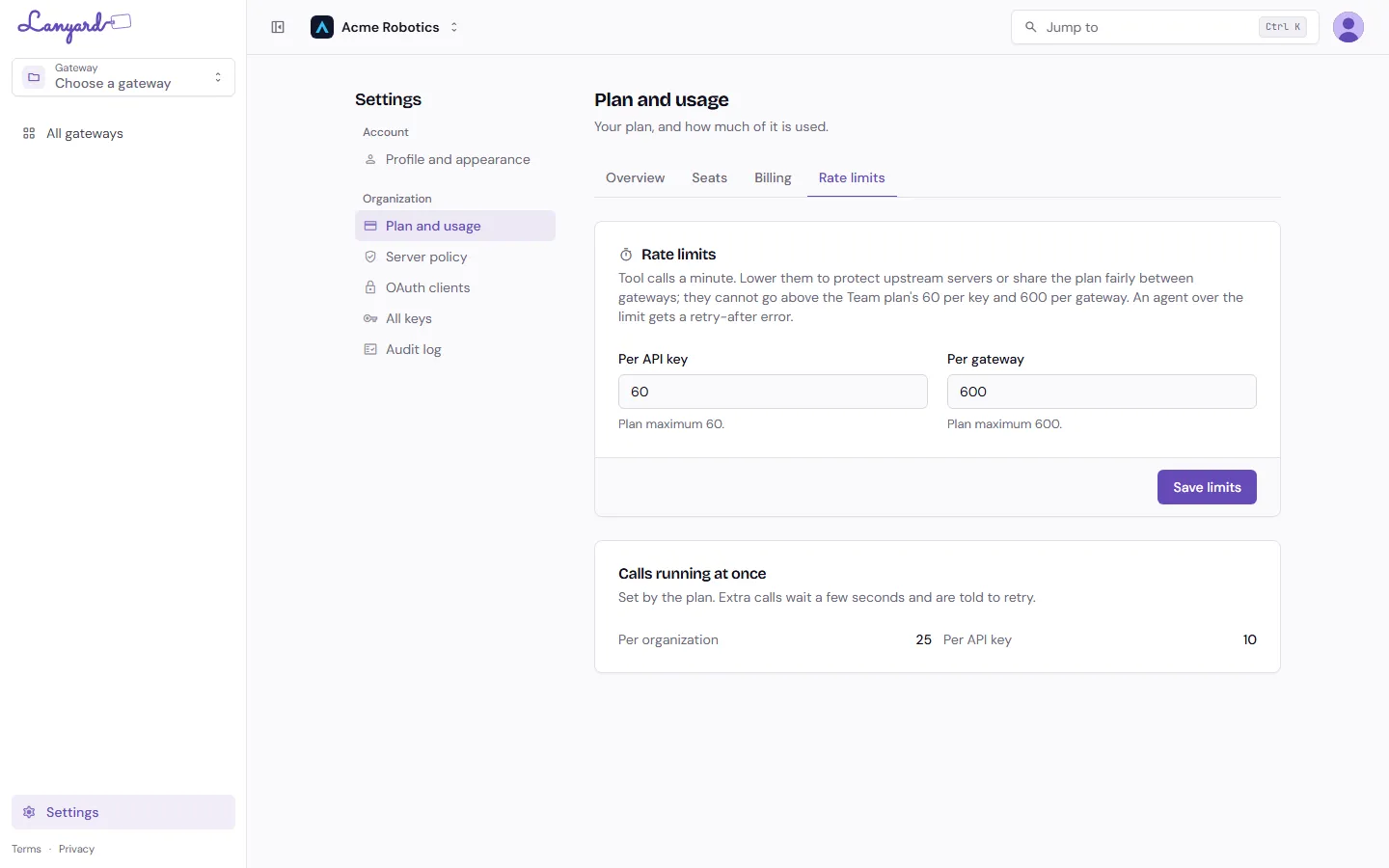
Two ceilings, both per minute: one per API key, one per gateway. An agent over either gets an error telling it how long to wait.
Org admins can lower them, never raise them above the plan’s. Lower them to be kind to an upstream server, or to stop one runaway agent using the whole gateway’s budget.
Calls running at once below is set by the plan and is not adjustable. Extra calls wait a few seconds and are then told to retry, rather than being dropped.
Billing
Section titled “Billing”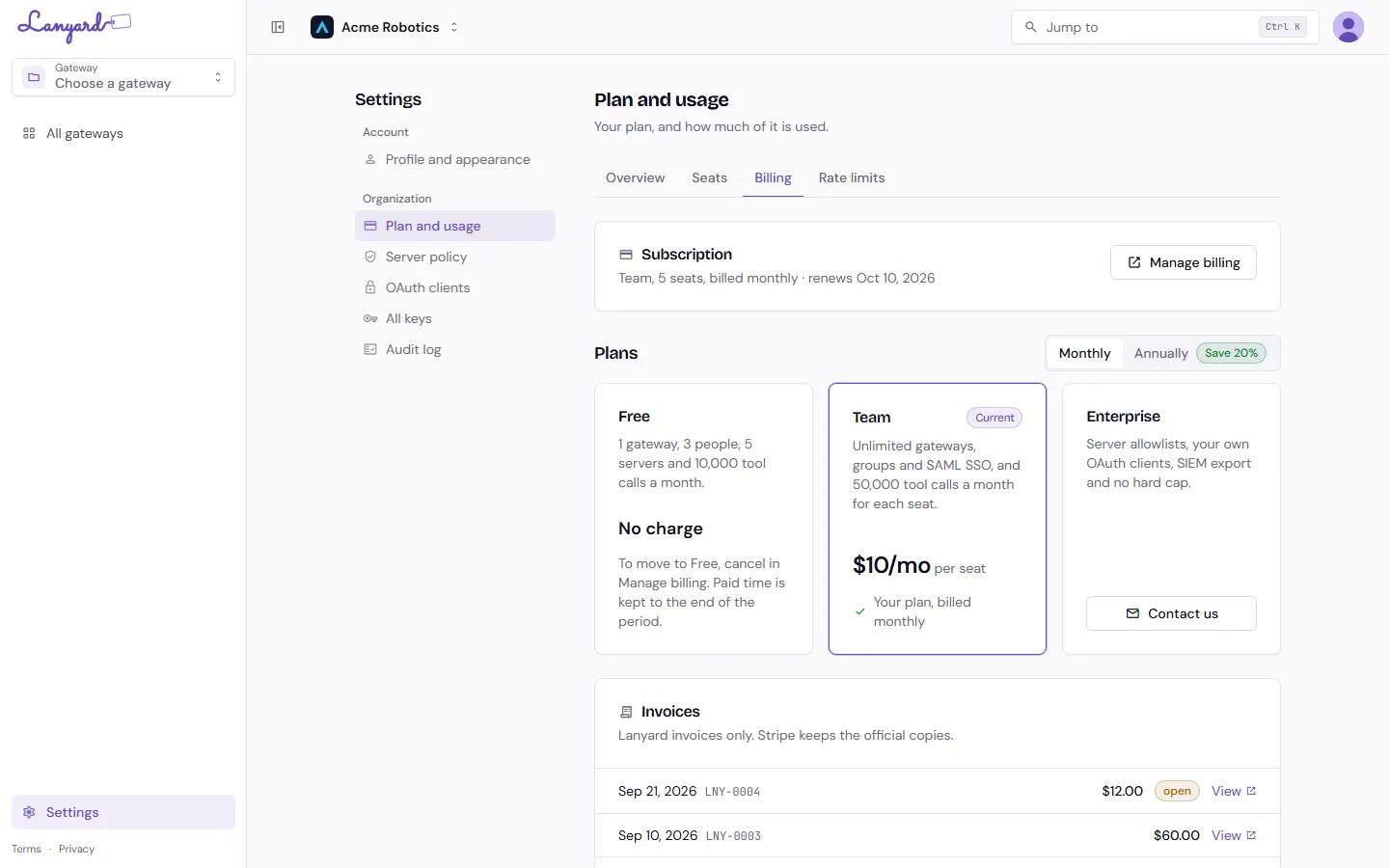
Subscription is what you are on now: the plan, the seat count, the rhythm, and when it renews. Manage billing opens Stripe’s portal for the card, the address and cancelling.
Plans are the cards below it. Upgrading from Free sends you to Stripe’s checkout page. Changing plan when you already pay happens on the spot, charged to the card on file with credit for unused time, so Lanyard asks you to confirm first and shows the estimate.
Where annual pricing is offered, a Monthly / Annually toggle appears above the cards with the saving, and switching is the same immediate change with the same credit.
Team is billed per seat. The estimate on the card is for the seats you have now.
Invoices at the bottom lists Lanyard’s invoices only, with links to Stripe’s copies. One Stripe customer carries every Infragate product, so your ShareCube invoices are not mixed in here.
Cancelling and downgrading
Section titled “Cancelling and downgrading”Cancelling in the portal keeps the plan to the end of the period, then moves the organization to Free. You get 14 days of grace to fit inside Free’s limits, and Lanyard asks which single gateway stays active. When the grace ends, the rest are paused: not deleted, and they come back as soon as you upgrade.